
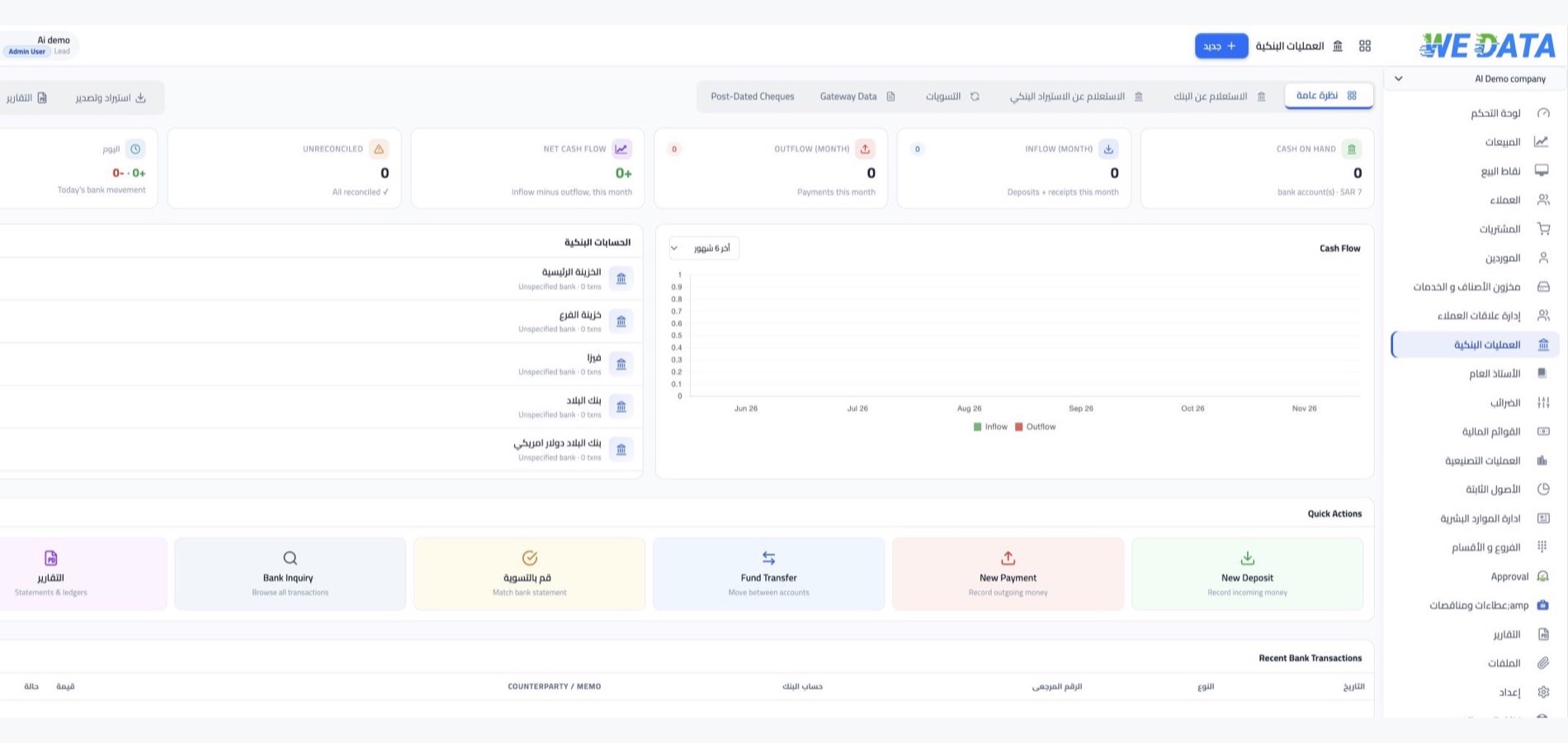

Banking transactions in WEDATA ERP

From deposit to reconciliation

Use WEDATA to record and review bank payments, deposits, and transfers. The banking tools available to your business depend on your product edition and configuration.

Banking Transactions
Banking workflow overview
Features

Bank movements

ready for review

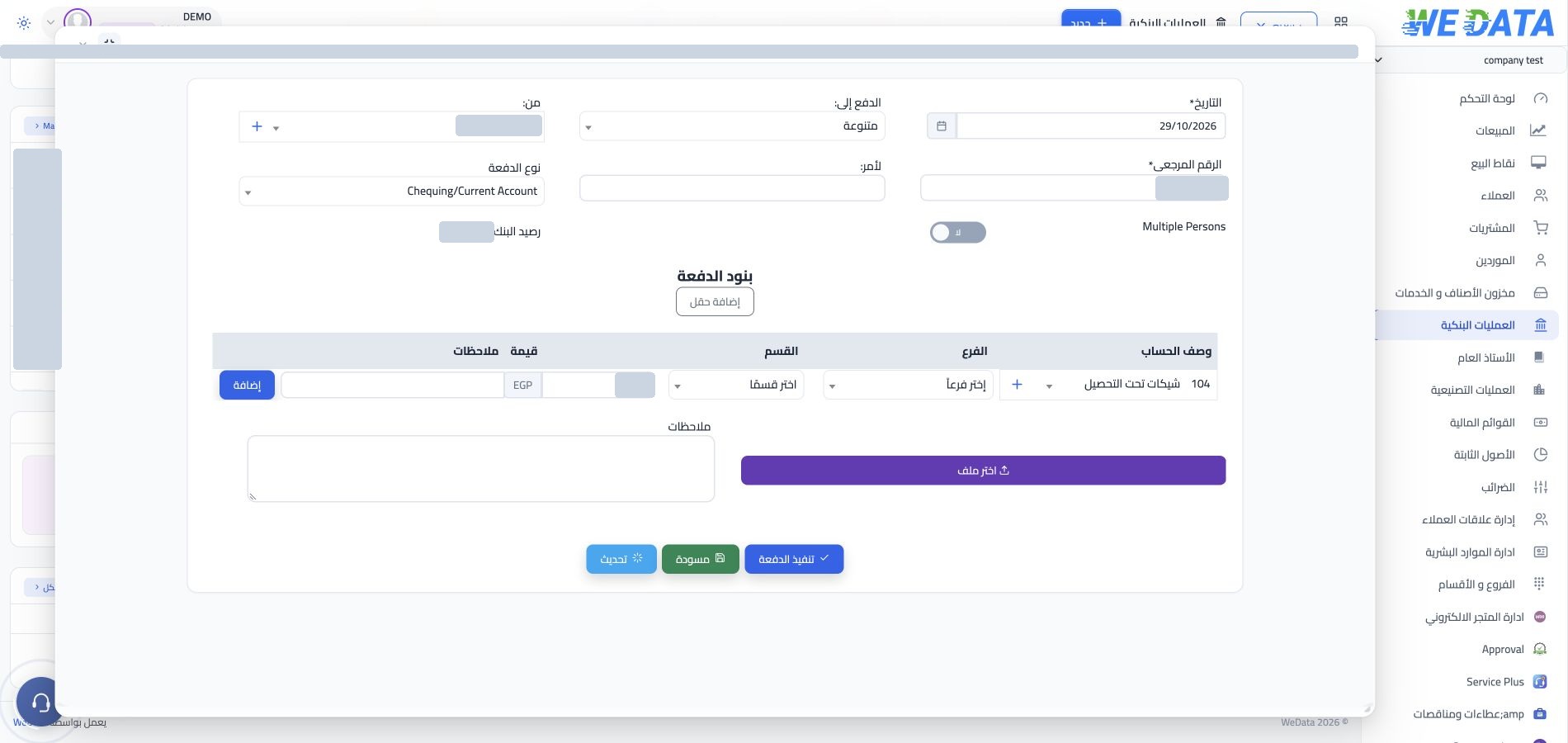
Bank payments

Record payments such as expenses, supplier dues, employee payments, or customer refunds when these options are enabled in your product. Review the account, party, amount, date, and any available allocation details before saving.
Banking Transactions

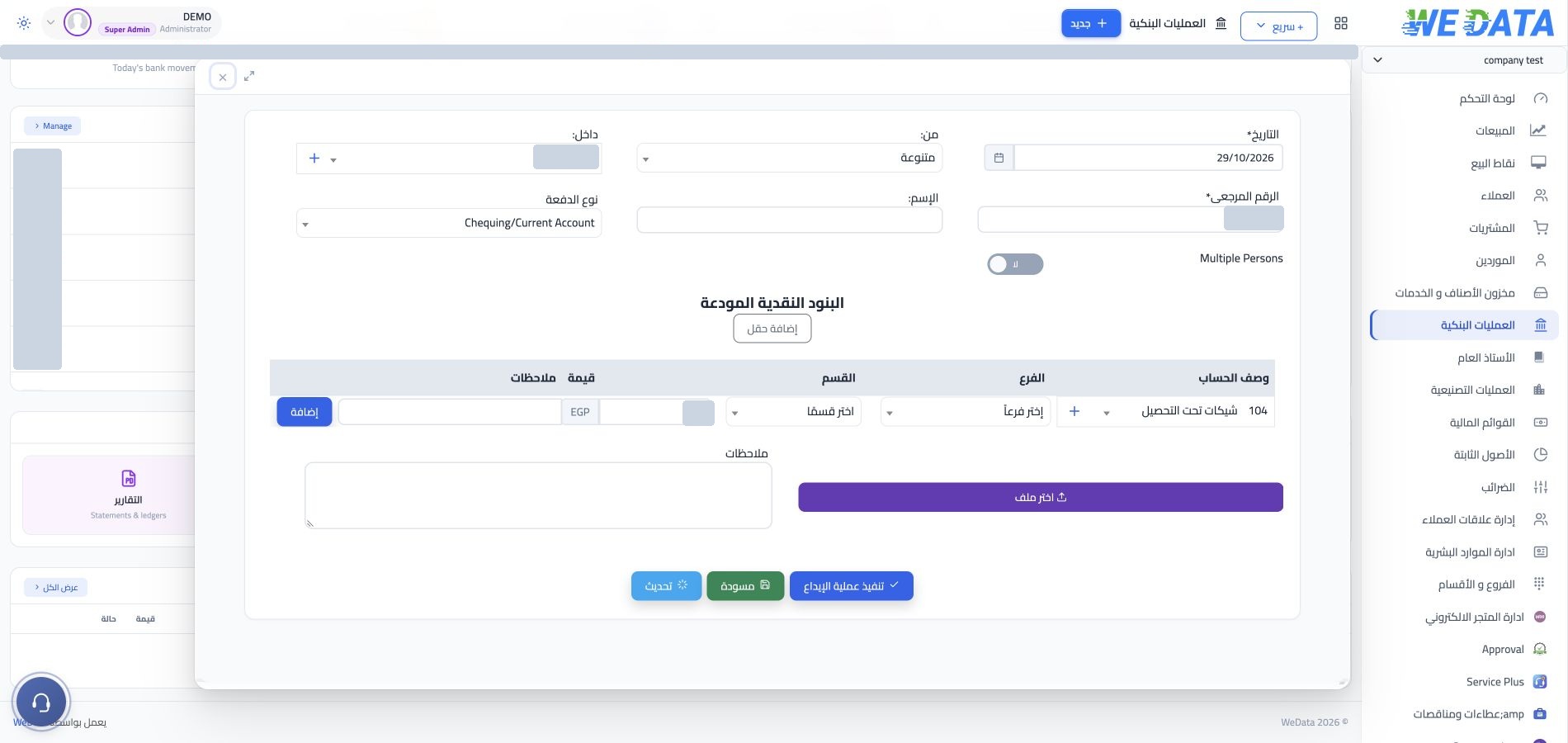
Bank deposits

Record incoming amounts when deposits are available in your product, and review the related account and supporting document. Opening-balance entry and allocation steps vary by edition and account setup.
Banking Transactions

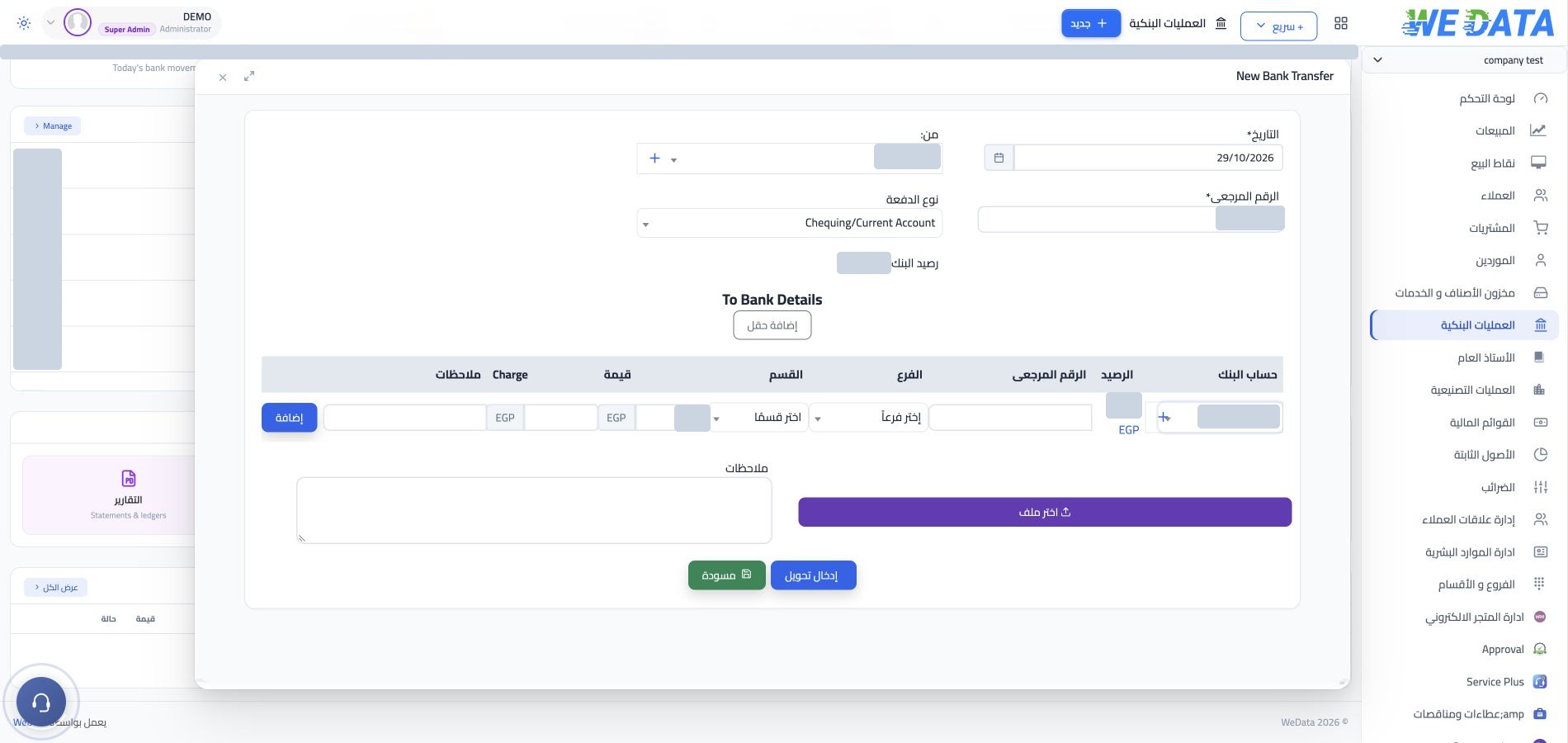
Transfers between accounts

Record transfers between bank accounts, or between a bank account and cash, when this option is available in your setup. Review the accounts, amount, and date; steps may vary by product edition.
Banking Transactions

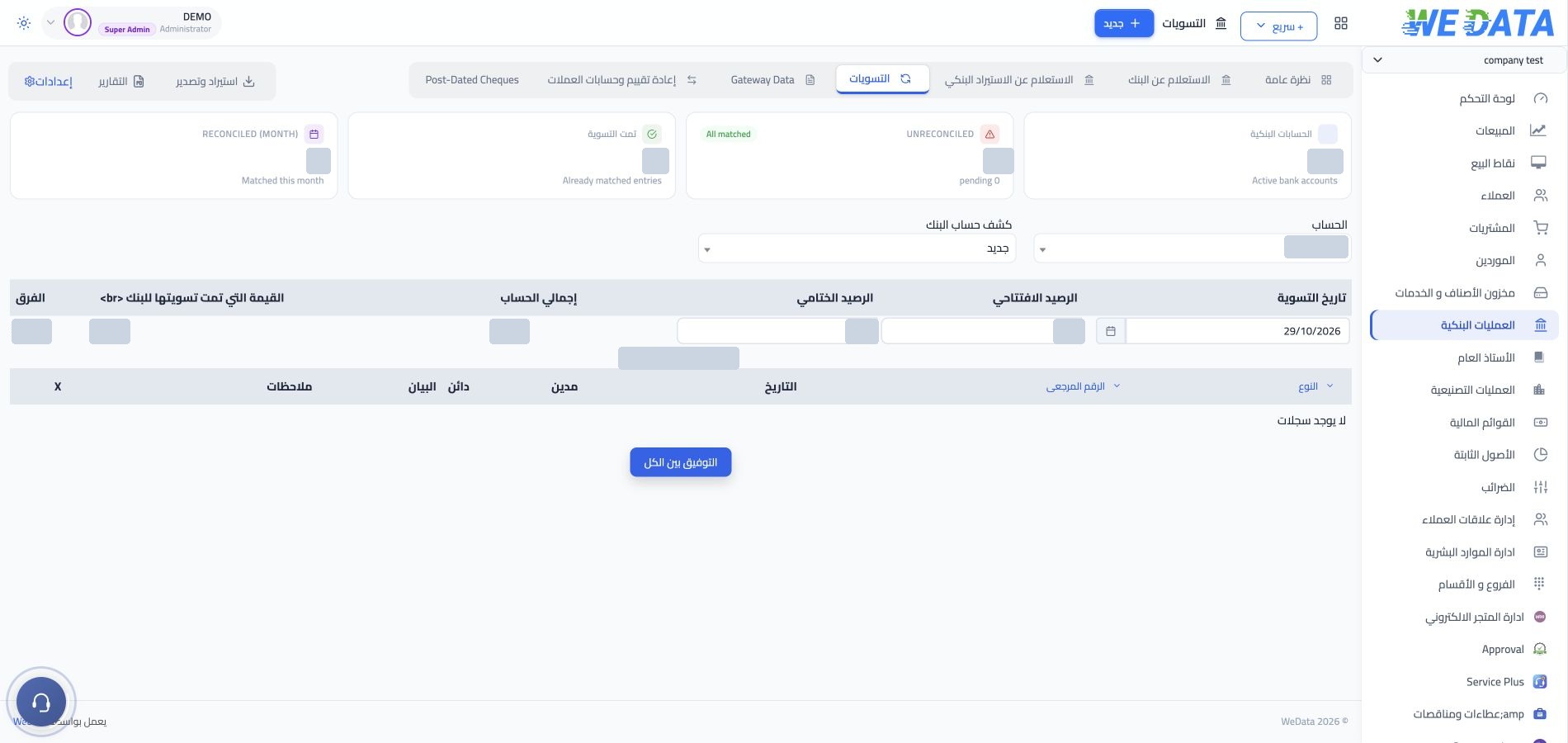
Import and reconciliation

Where available in your edition, review bank activity against account balances to identify transactions that need follow-up. Import formats and any matching options depend on the product edition and configuration.

Banking Transactions
More tools

Tools that make following

your bank account easier

Banking Transactions

Movement inquiry

An inquiry that narrows the list of recorded movements, so you reach the transaction you are looking for fast.

Banking Transactions

Amount allocation

Allocate every payment or deposit to its invoices, so you know what is paid and what is due in every account.

Banking Transactions

Transaction review

Review recorded bank payments and deposits against account activity to help identify movements that may need attention.

Banking Transactions

Attachments

Attach receipt images and delivery notes to the movement itself, so they are in front of you at review time.

Banking Transactions

Linked transactions

Open several transactions together, and move from the bank movement to the document it came from.

Banking Transactions

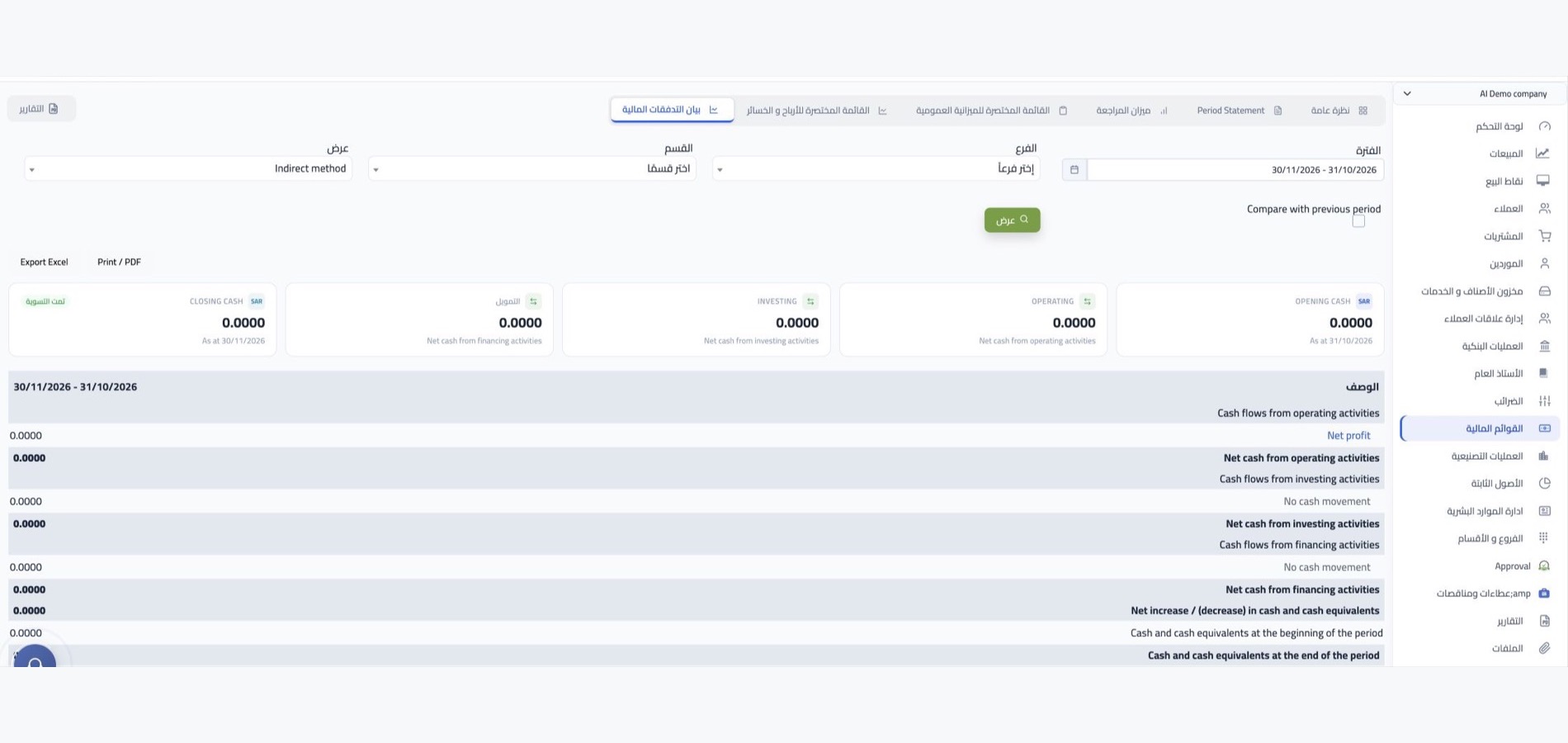
Bank reports

Review the account movements available in your setup. The report types and details may vary by product edition and configuration.
Banking Transactions
Related records

Review bank activity

alongside account records

Compare recorded payments and deposits with the account records available in your setup. Any links to sales channels or online stores depend on supported products and configuration; confirm availability with WEDATA.

  • Banking Transactions
    Customer and supplier invoices
  • Banking Transactions
    Sales channels and bank statements
FAQ

Frequently asked questions

about banking transactions

Questions that come up when starting to record bank movements and reconcile balances.

Review bank movements with WEDATA

Record and review bank payments, deposits and transfers using the options available in your product and account configuration. Confirm any statement-import or reconciliation tools with WEDATA.

Get started now

Join a global network of top professionals.

  • At least 8 characters

Already have an account?

Choose your role to get started

This helps us set up the right experience for you.

Choose a username

This will be used in your profile and public links. Username can’t be changed later. Please choose carefully.

Reset password

Enter your email address and we'll send you a link to reset your password.

Go back to

تصفّح WEDATA

Browse WEDATA