

Accounting management in WEDATA ERP
Accounts in order all year round
Accounting management brings your whole financial cycle together: the journal entry and the ledger, cash and bank movements, reconciliation before closing, then the financial statements. Every step builds on the one before it inside one system.

More than 8 years of experience in business solutions
Features
From recording to closing
in one system
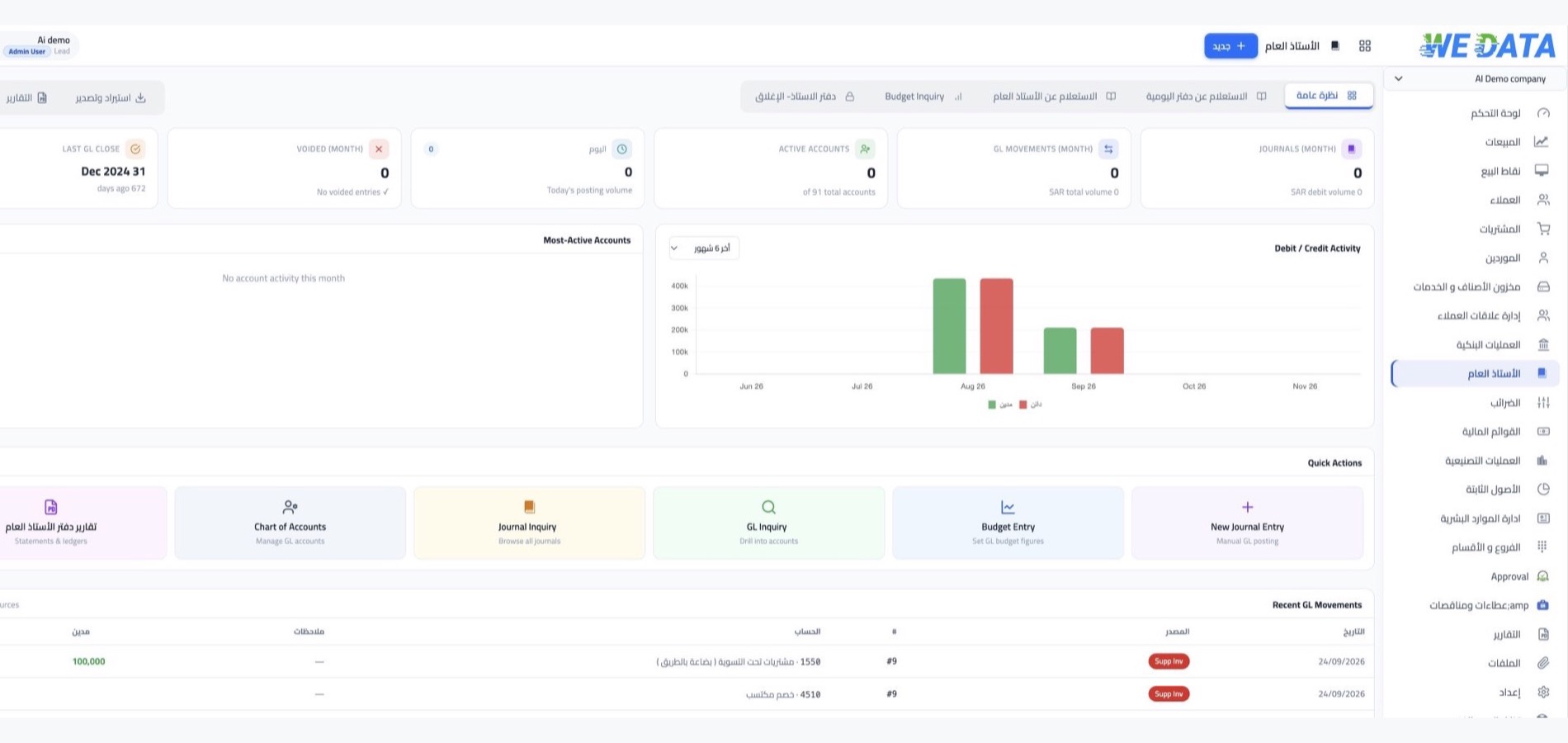
From transaction to entry
Every operation in your business, from the invoice to the payment to the expense, reaches the ledger as a balanced journal entry. Whatever does not come from operations you record with a manual entry, then move from the entry to the transaction that created it in one step.
Cash and banks
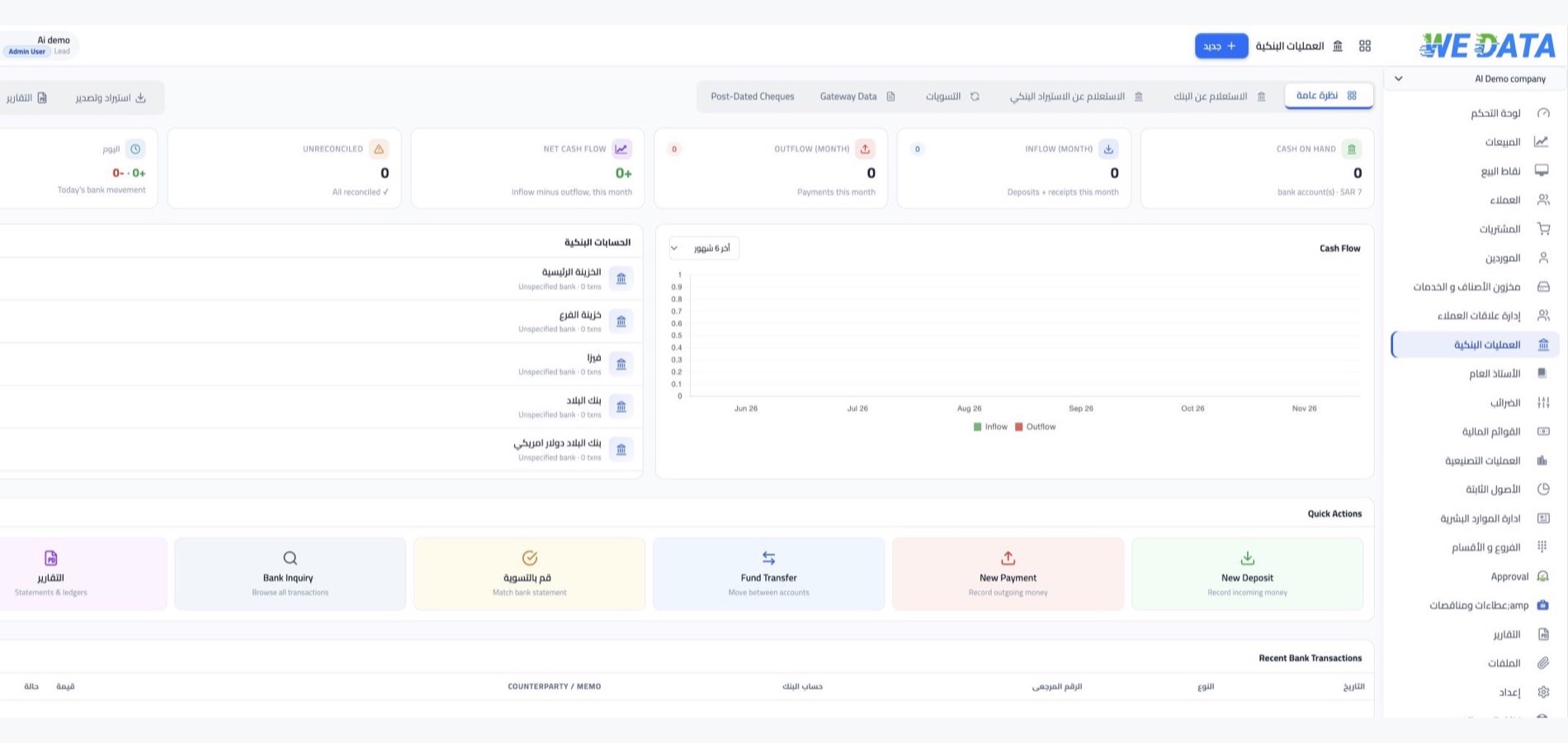
Bank and cash accounts inside the same system: what you pay suppliers and employees, what you collect from customers, and what you move between your accounts. Every movement is recorded on its account and allocated to its invoice, so you read your balance from the system, not a side file.
Reconciliation and review
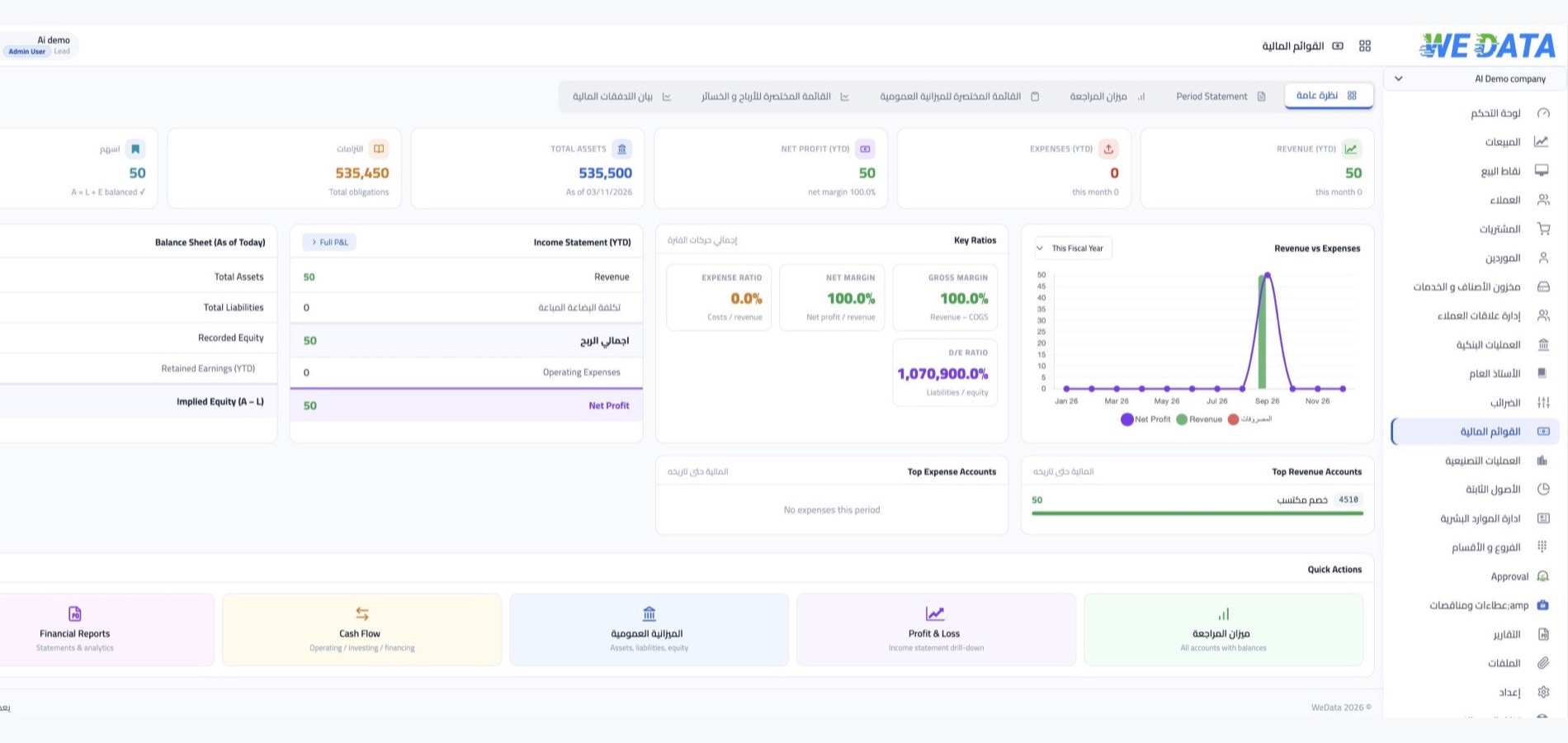
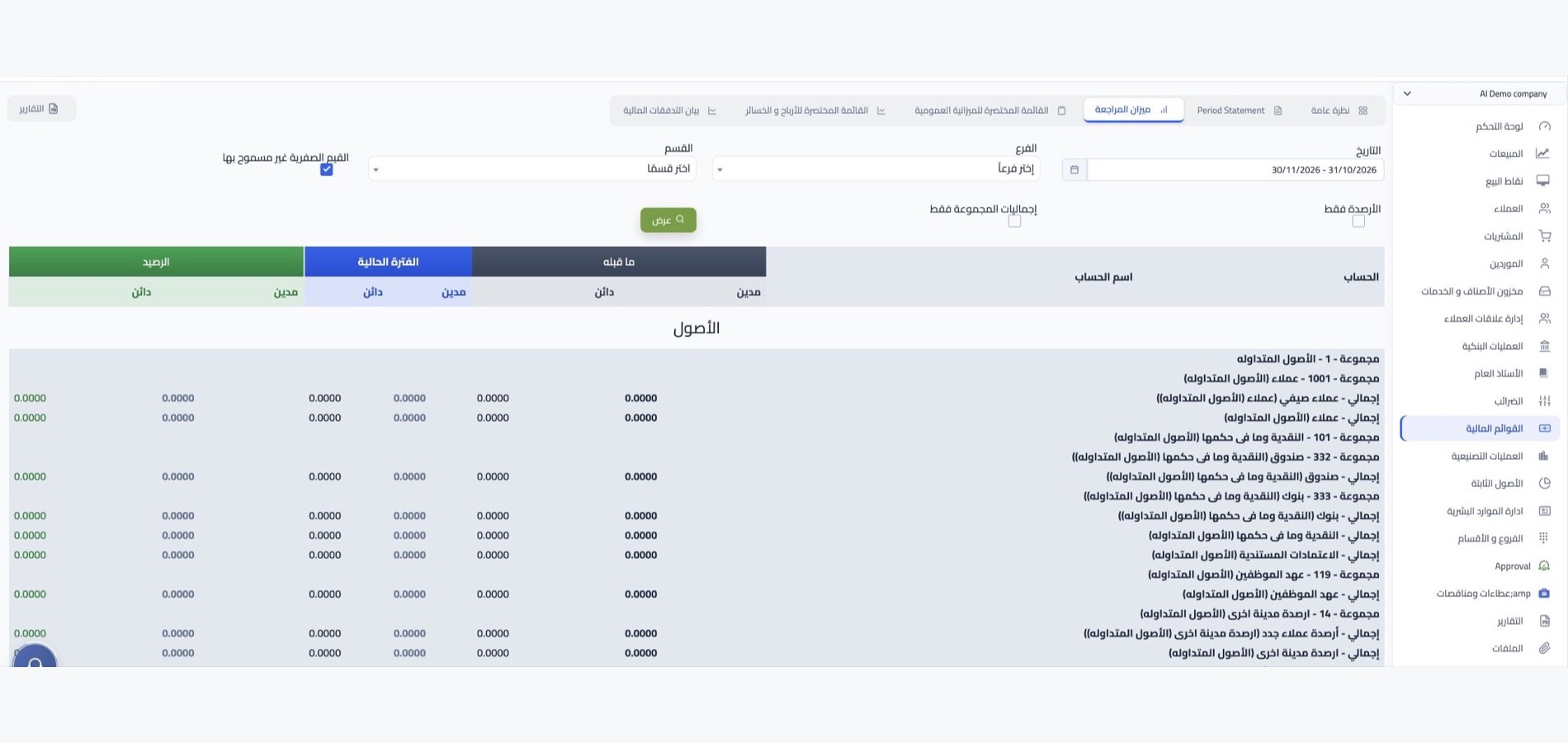
Before closing any period you go through two steps: reconcile your bank accounts with your bank statements, then review the trial balance to confirm your accounts balance. Any figure that needs explaining, you move from it to the entries that made it.
Closing and financial statements
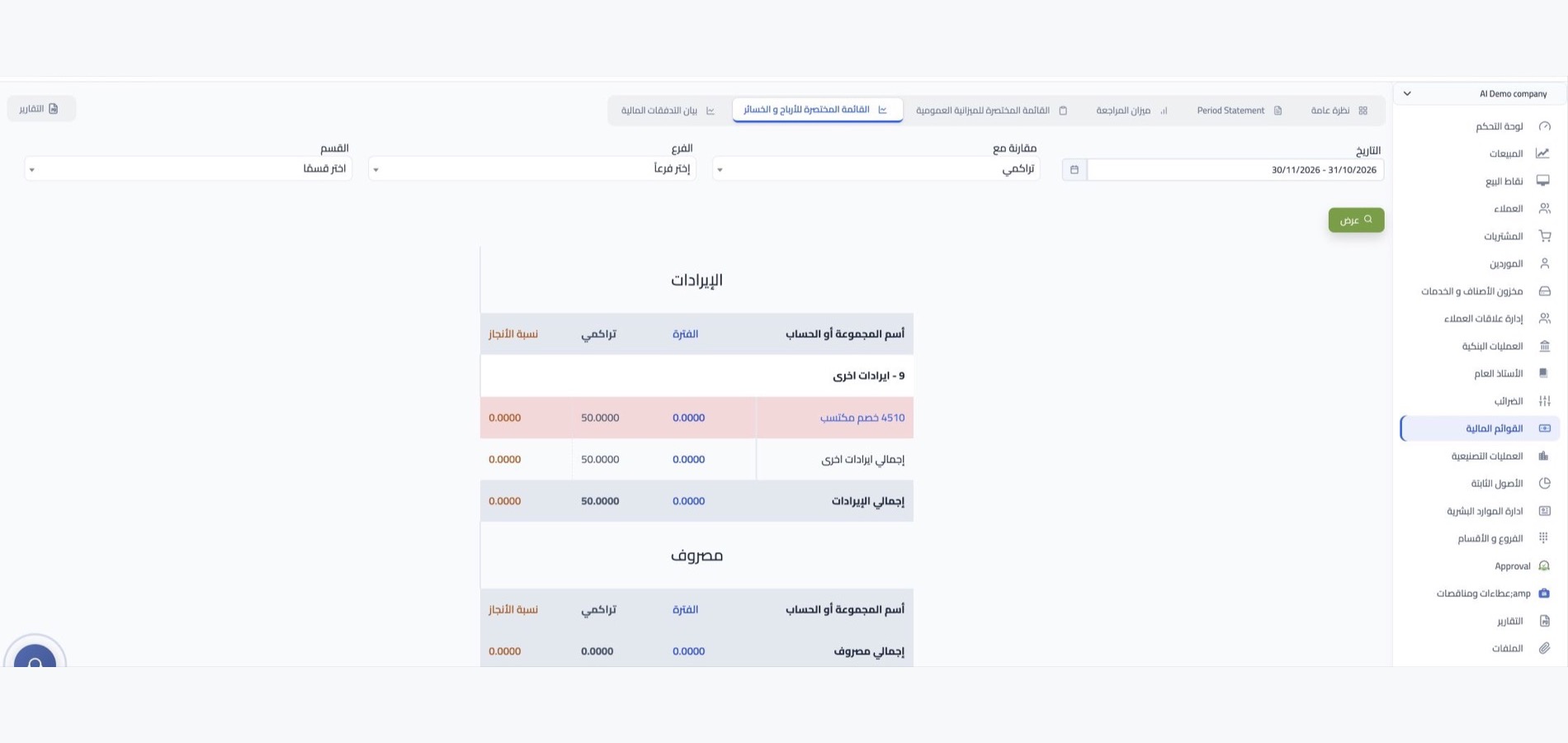
Close the period at its end so the system blocks any change inside it, and the figures your reports are built on are fixed. Then produce the profit and loss statement, balance sheet and cash flow for the period you want, and download them as Excel or PDF.

More tools
What your accounts team needs
every day
Chart of accounts
Your accounts grouped by the nature of each transaction, with a separate code that identifies every account.
Opening balances
Your books start with an opening balance recorded at the date you began on the system.
Receivables and payables
Allocating every payment to its invoice keeps customer and supplier balances matching reality.
Audit and review reports
The journal list, the audit trail and account movements, ready when your books are reviewed.
Your accounting data kept safe
Daily backups of your books, and 99.9% uptime keeps your accounts available.
Share with your accountant
Any report or statement exports as Excel or PDF to hand to your accountant or auditor.
Integrations
One source for your figures
with no duplicate entry
No separate accounting entry is needed: sales, purchasing, stock, points of sale and store operations reach their accounts. The system imports your bank statements for reconciliation, and issues your invoices compliant with e-invoicing requirements in Saudi Arabia and Egypt.
-
The sales, purchasing and stock cycle
-
Banks, stores and e-invoicing
FAQ
Frequently asked questions
about accounting management
Questions that come up when evaluating the accounting cycle inside the system.
-
What does accounting management cover in the system?
From recording the entry to closing the period: the general ledger, payments, deposits and transfers, bank reconciliation and the trial balance, and producing financial reports and exporting them as Excel or PDF.
-
When do I need a manual entry?
When the movement is not tied to an operational transaction, such as an accounting adjustment or correcting an error. A manual entry only posts when its debit and credit sides balance, and you can print or download it for review.
-
What steps come before closing a period?
Reconcile your bank account balances first, then review the trial balance and resolve any difference it shows. Close the period only after its figures are approved, because closing blocks any addition or change inside it.
-
Do I follow customer and supplier balances from within accounting?
Yes. Every payment or deposit is linked to the invoice it belongs to, so you see what is paid and what remains for every customer and supplier in their statement, with no side spreadsheets of your own.
-
Where do I start when moving my accounts to the system?
Start by setting up your chart of accounts to suit your business, and record opening balances at the date you start on the system. After that you record your daily operations, the ledger builds up, and your reports and statements come out of it.
Start your financial year on solid ground
Start with WEDATA ERP and build your accounting cycle step by step, from the first entry to closing the period.