
Egyptian e-Invoicing with WEDATA
Organise customer, item and tax information in one place, and prepare invoices for review before activating integration with the Egyptian Tax Authority platform. We review the data, configuration and scope appropriate to your business.
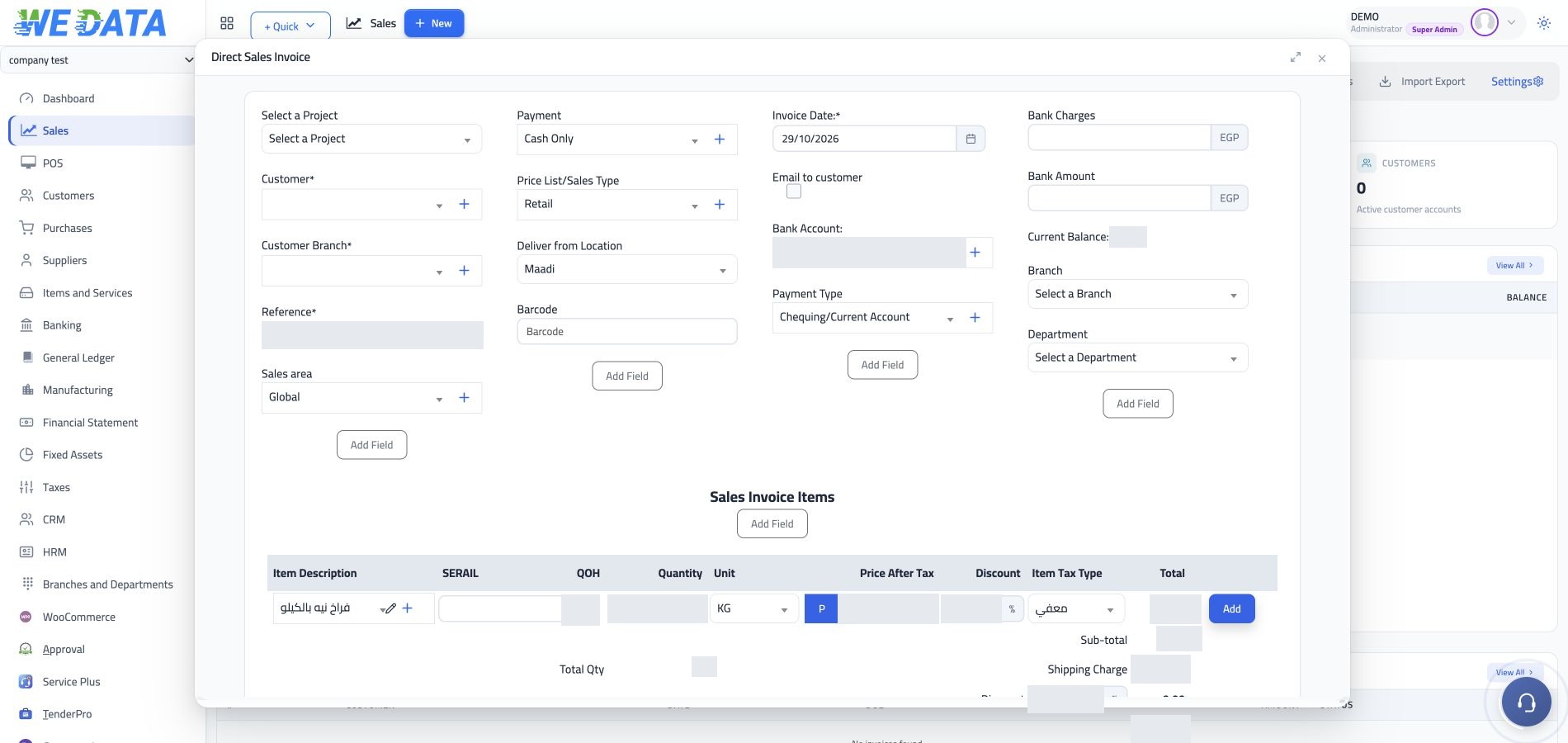
From organised information to an invoice ready for review
Business and customer details
Prepare the business name, address and tax registration number, and check the invoice recipient information. Accurate party details are an essential part of preparing an electronic invoice document.
Clear items and services
Organise each item or service description, unit of measure and quantity. The codes required by the e-Invoicing platform are reviewed as part of integration preparation.
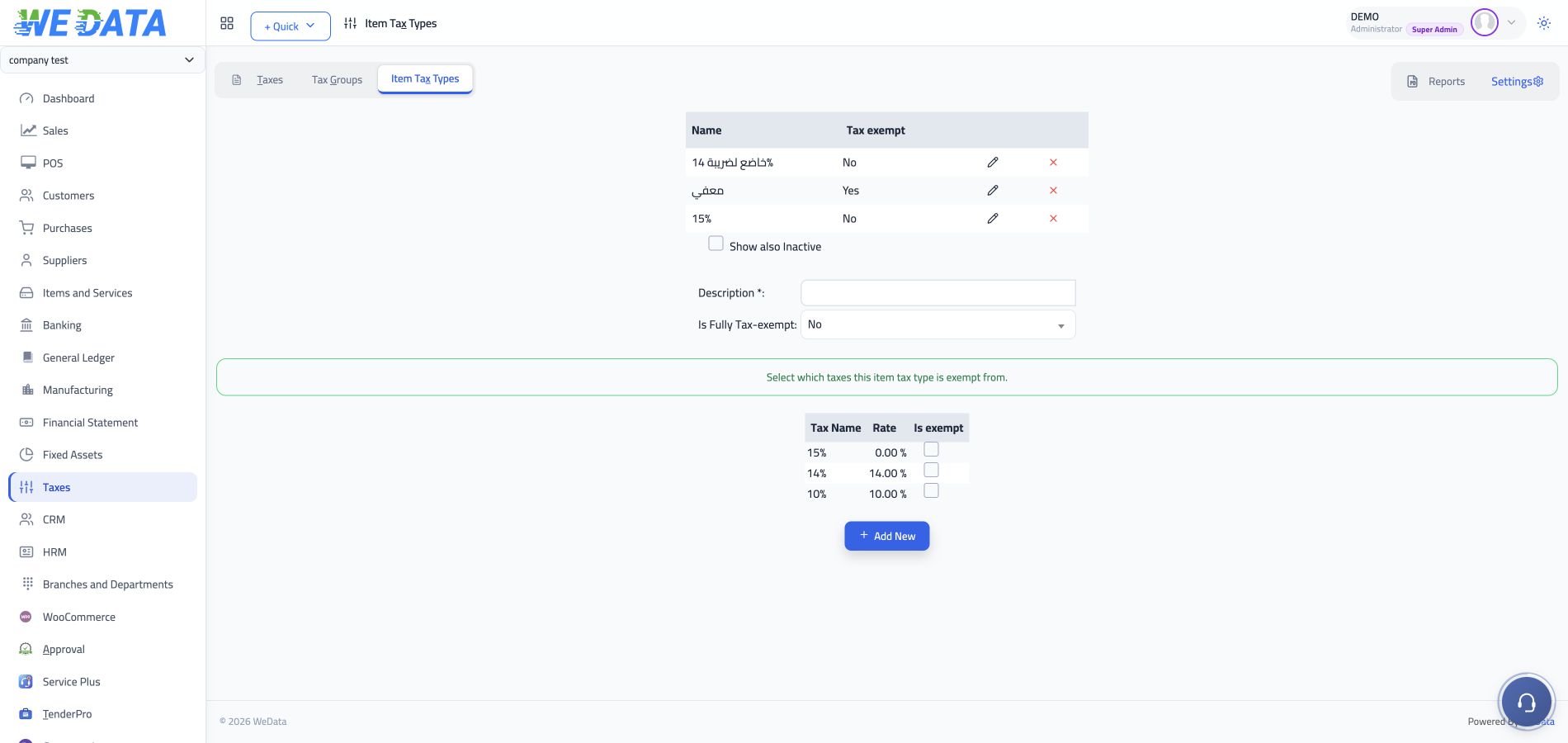
Tax treatment by item
The item tax types screen organises tax treatment and exemptions. Types and rates are configured according to your business requirements and the nature of each item.
Review invoice details
Check the date, reference, customer, invoice lines, discounts and taxes before approving the document. Preparing an invoice in the system precedes platform validation and submission.
A clear view of tax configuration
A real WEDATA screen for classifying item tax treatment. Review these settings while preparing your invoicing data.
Clear steps before going live
Prepare the business profile
Review registration details, branches, documents and the transaction types your business needs to cover.
Meet platform prerequisites
Review registration, electronic signatures and goods or service codes against the Egyptian Tax Authority guidance.
Review setup and activation
Confirm the edition, permissions and integration configuration with WEDATA before starting document submission.
Before you start e-Invoicing
Does preparing an invoice submit it to the Tax Authority?
No. Entering and reviewing invoice data in the system is different from submitting a signed document to the authority platform. Registration, integration and activation prerequisites must be completed first.
Are e-Invoicing and e-Receipt the same?
They are separate Egyptian Tax Authority workflows. We review the transaction type and business activity to identify the appropriate route before preparing integration.
Is integration automatically active for every business?
Activation is reviewed against business details, the edition, permissions and integration requirements. Request a demonstration to establish what your business needs.
How do I get started?
Contact us with your business activity, number of branches and required document types so we can review data readiness and preparation steps.
Start with a business readiness review
Understand the data and configuration needed for the appropriate invoicing workflow before going live.