
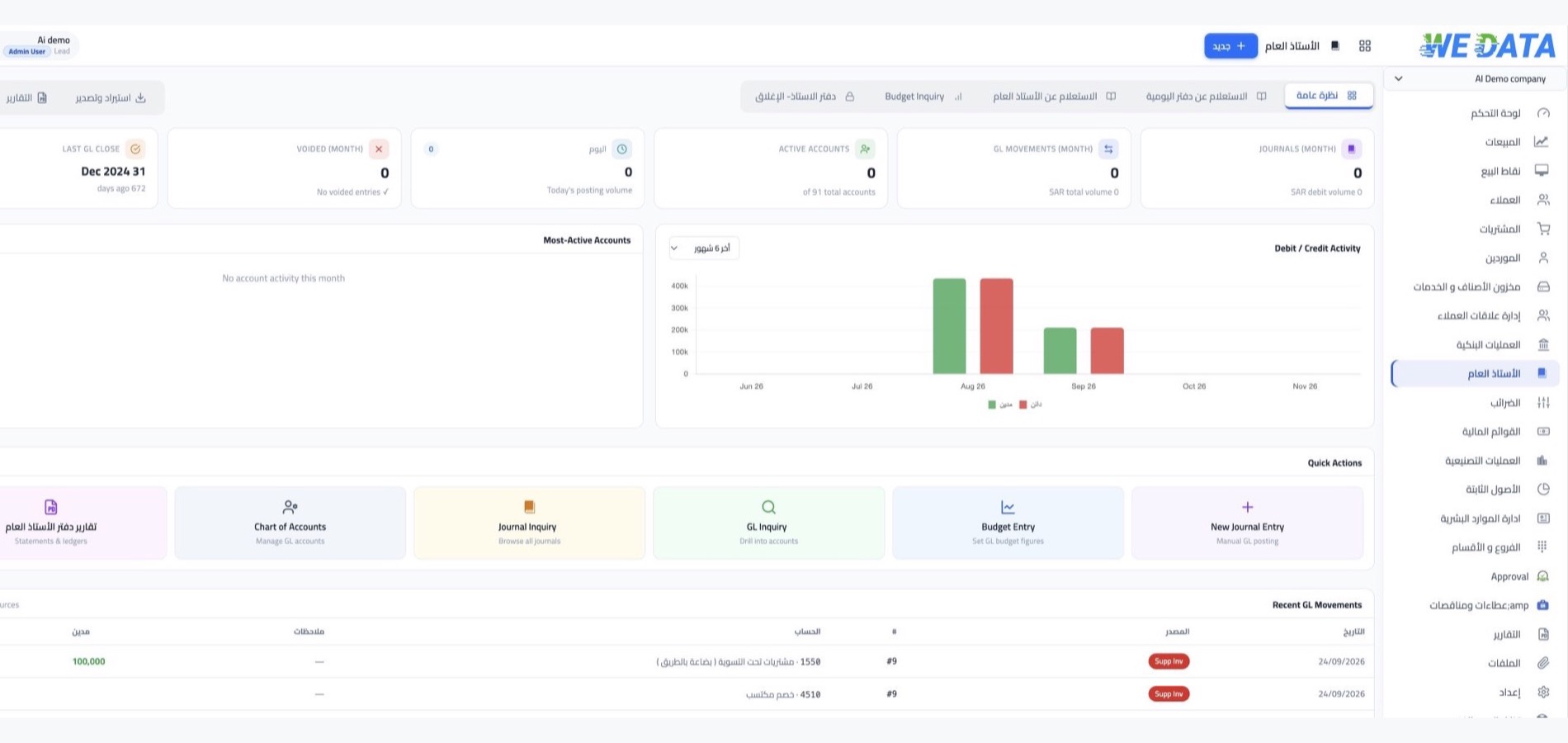
The general ledger in WEDATA ERP
One record of your financial activity
The ledger is the backbone of your accounting system. Every financial transaction is recorded as a balanced journal entry and organised into accounts, each with a unique code, then the period is closed and your financial reports come out of it.

More than 8 years of experience in business solutions
Features
The journey of every financial movement
inside your ledger
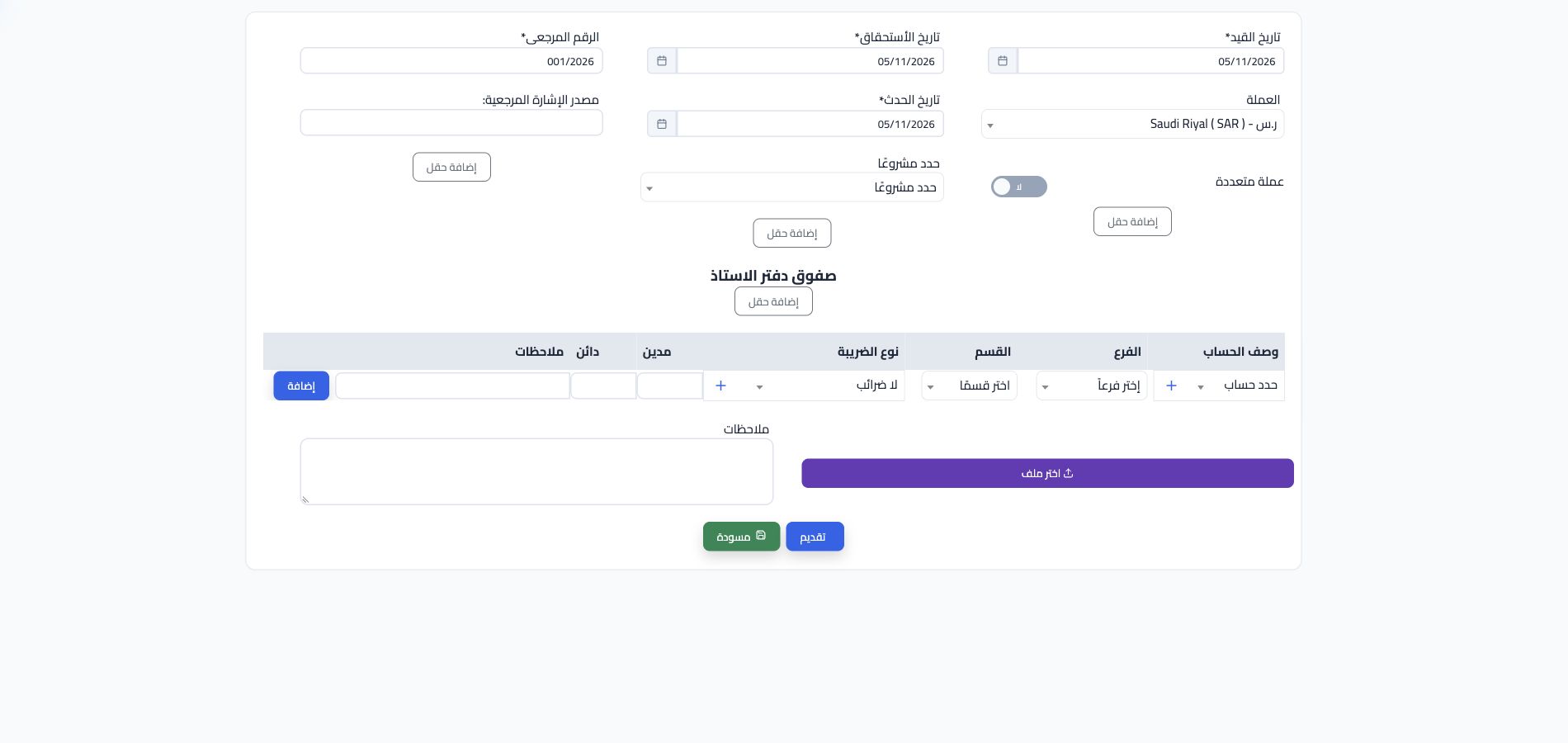
Recording and posting entries
Every financial movement in your company starts with a journal entry that states the debit account and the credit account with equal amounts. After posting, the entry settles in its account inside the ledger, so you read any account's movement in the order it happened.
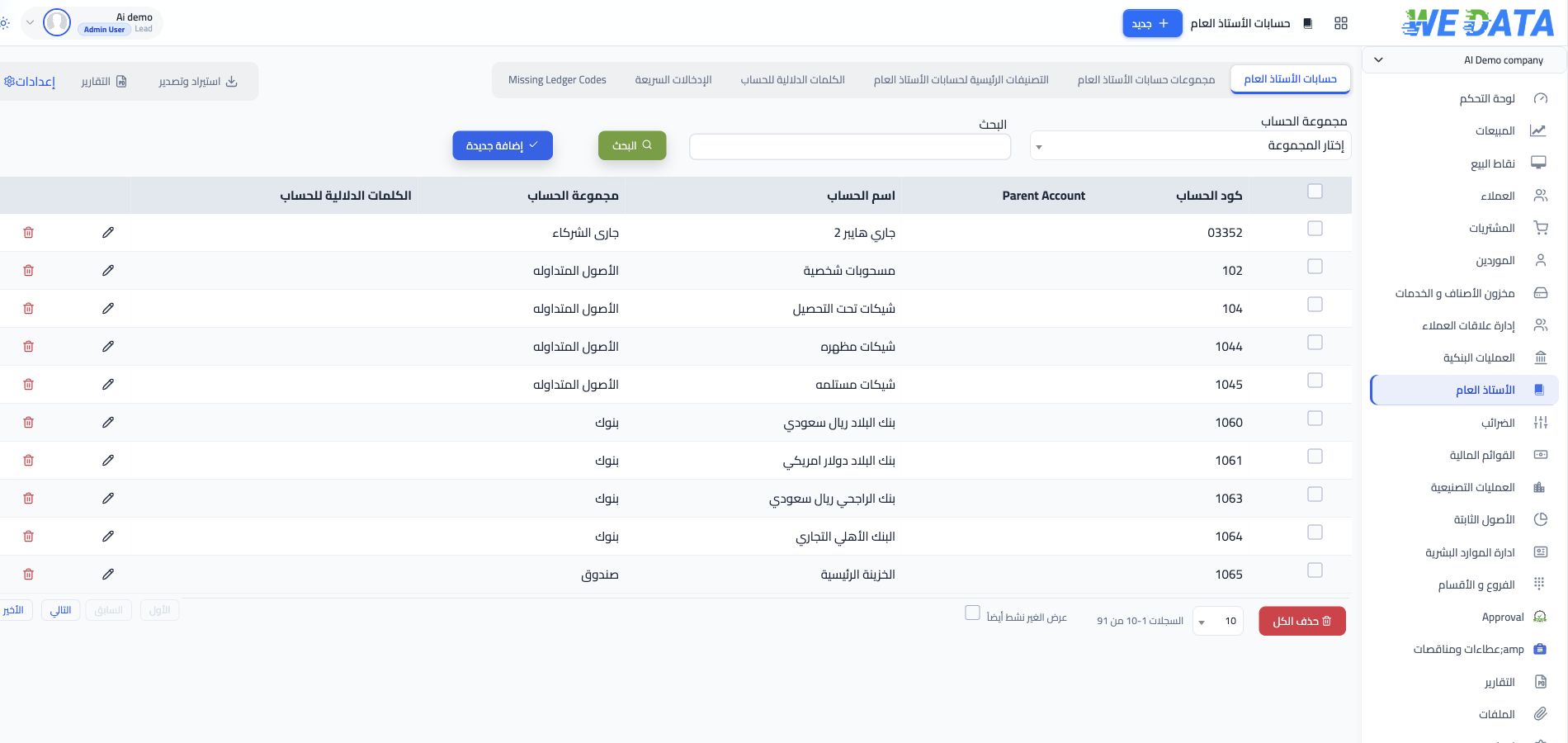
Organising and coding accounts
Accounts are the unit of organisation inside the ledger: each account gathers one kind of financial transaction. With this order your figures are ready to build your financial statements, and to read your company's financial position at any moment you need.
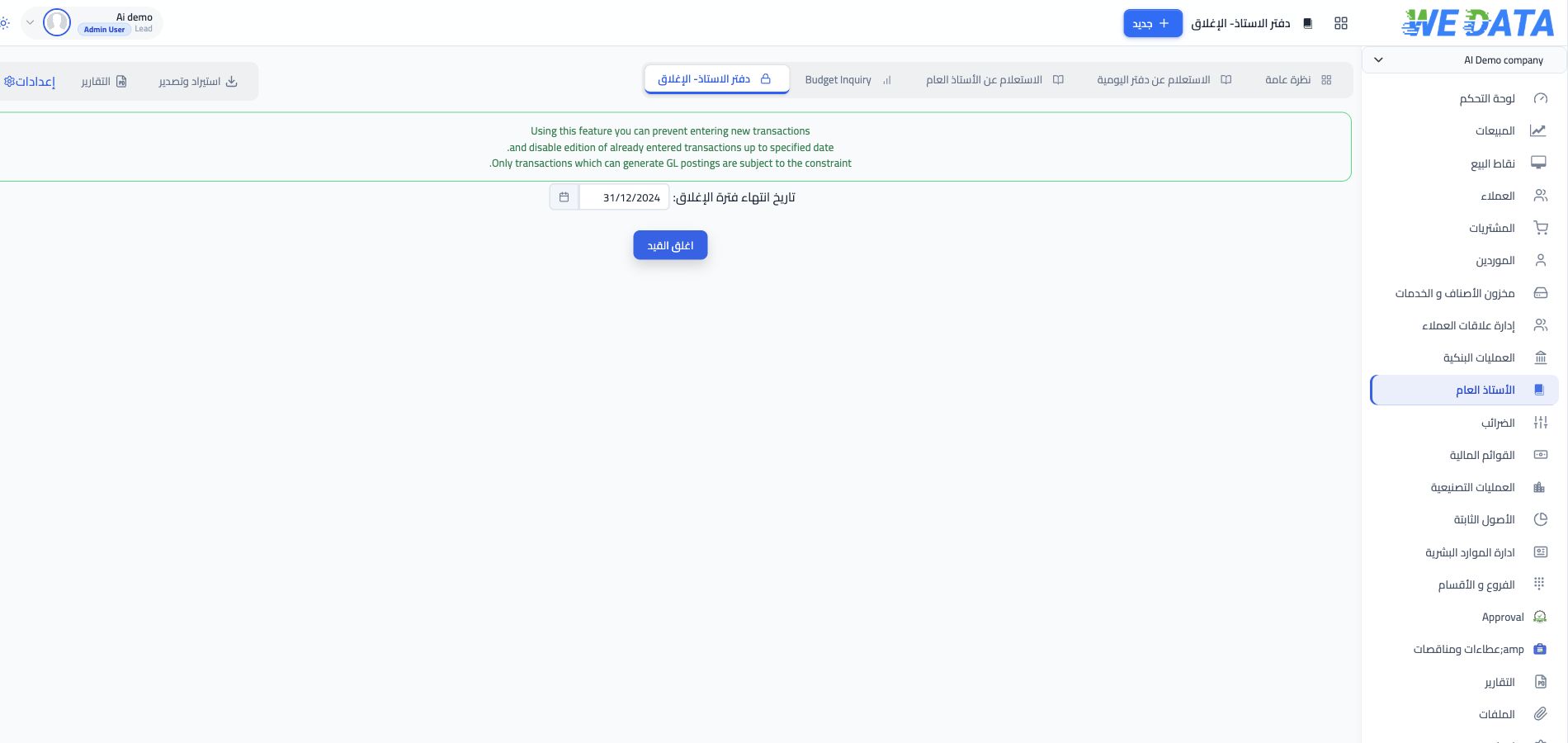
Closing the ledger
Closing is the dividing line between one accounting period and the next. Once a period is closed, the system stops accepting any new movement inside it or any change to an existing one, so the period ends sealed on what was recorded in it.
Ledger reports
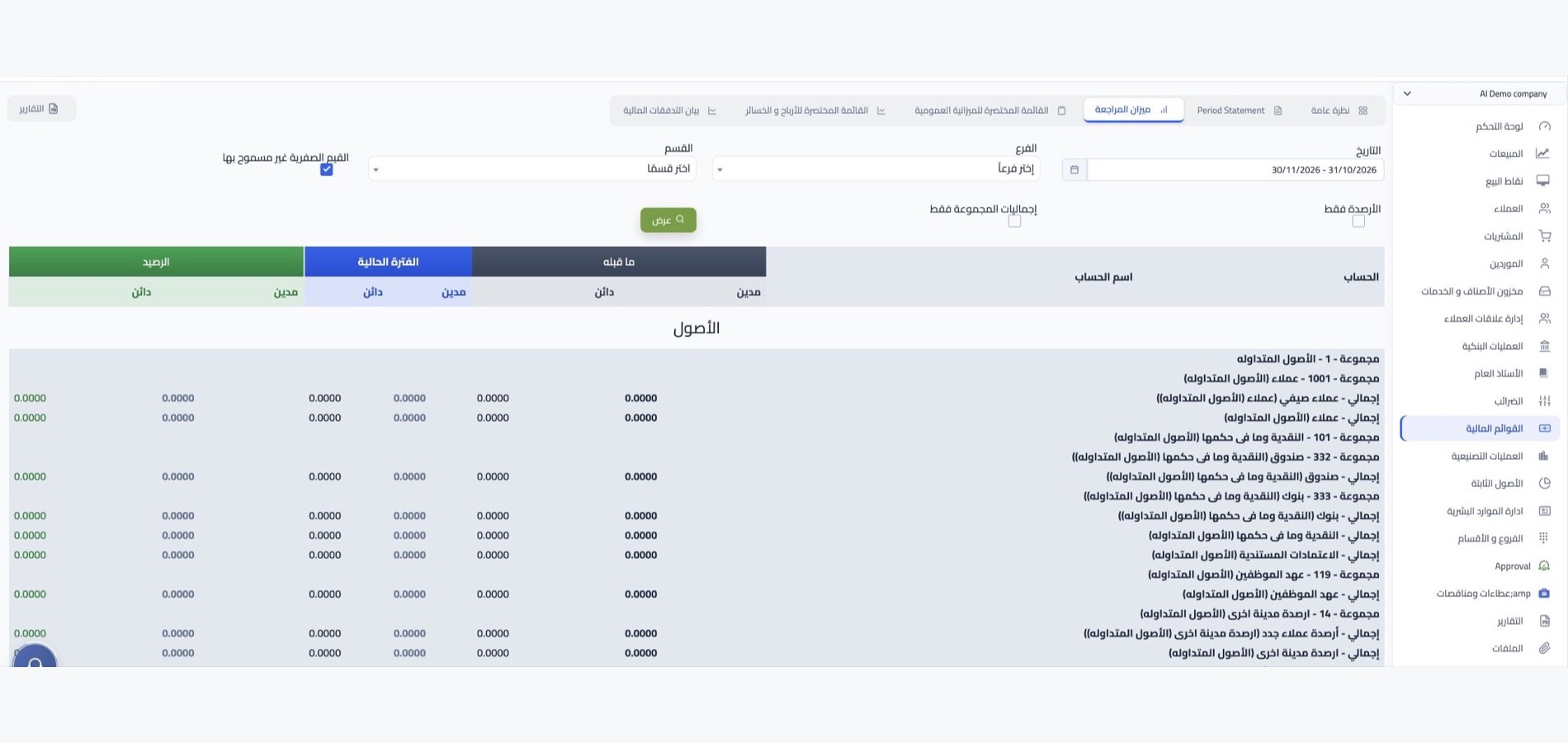
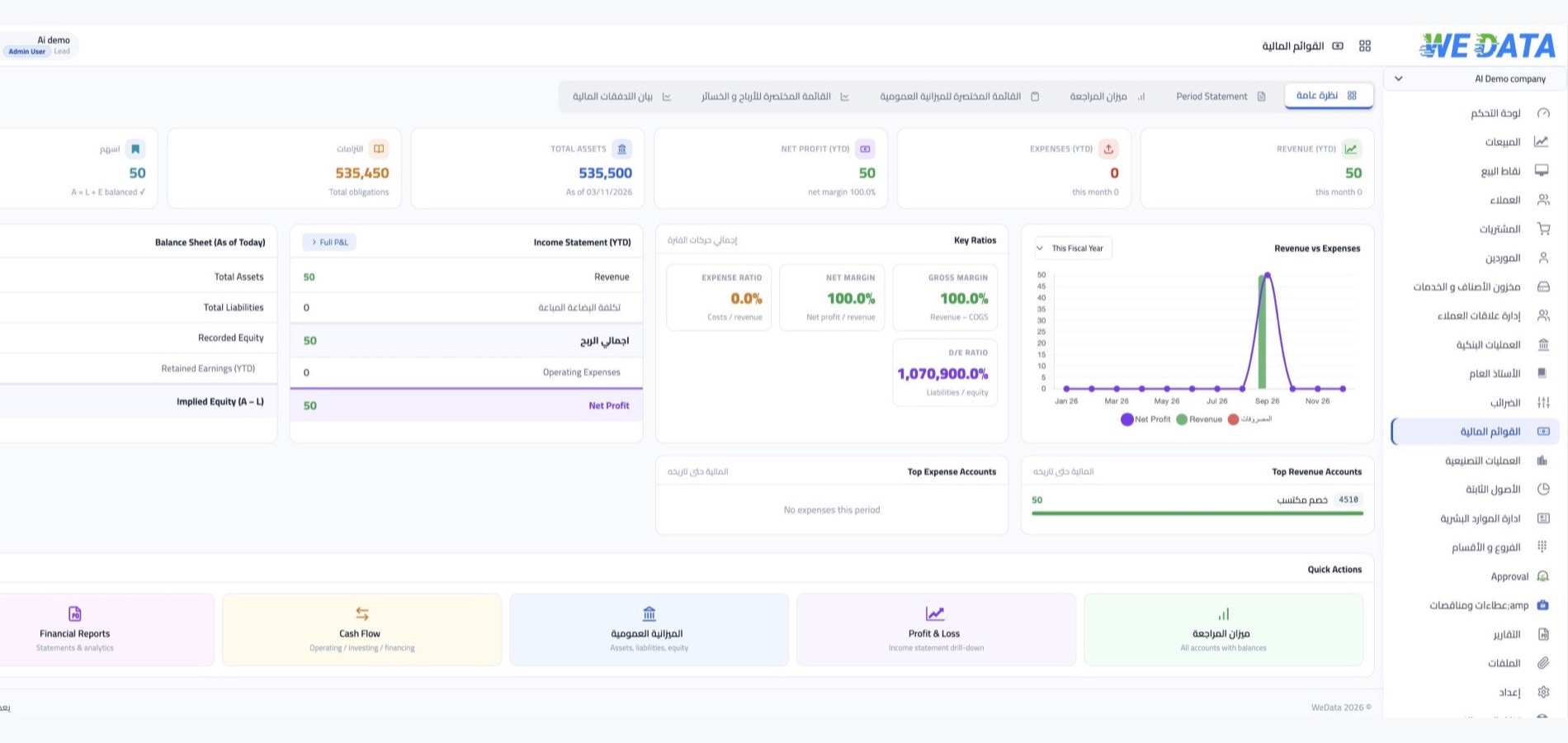
Your reports come out of the ledger itself with no extra preparation, built on posted entries rather than side spreadsheets you make yourself. They include your financial statements, the audit trail and the annual expense analysis, ready to share with your accountant or auditor.

More capabilities
Details that keep your ledger tight
and easy to review
Chart of accounts
A report that shows all your accounts with their structure and codes, so you know where every account sits.
Account movements
A detailed report that opens any account's movements in the ledger with all their lines.
Account statement
A statement that gathers the account's movement and balance, ready to print or export when needed.
Annual expense analysis
A report that spreads the year's expenses over their accounts, to know where spending actually went.
Linked transactions
Open more than one transaction together, and move from any transaction to the ones connected to it.
Multiple tabs
Tabs that gather your financial operations on one page, so moving between them is faster.
Integrations
Your entries are written from
your daily operations
Sales and purchase invoices, stock movements, point of sale sales and your online store's orders all create their entries in the ledger with no manual entry. Every activity in your company reaches its account, and the ledger stays a mirror of what actually happens.
-
Sales, purchasing and stock
-
Points of sale, stores and apps
FAQ
Frequently asked questions
about the general ledger
Short answers to what comes up most about the ledger.
-
What is the difference between a journal entry and the general ledger?
A journal entry records a single transaction with its debit and credit sides. The ledger is the record where these entries are kept ordered by account, so you read every account's movement separately.
-
Can an unbalanced entry be posted?
No. Accounting here is double-entry, so an entry is not accepted for posting unless total debits equal total credits, keeping your books balanced in every period.
-
What happens after an accounting period is closed?
The period becomes closed: no new movement is added and no existing one changed, so the figures your financial statements were built on are fixed. The periods after it stay open for work as usual.
-
Which reports do I get from the ledger?
Account statements and detailed ledger account movements, the trial balance in three formats, the balance sheet and profit and loss, the chart of accounts, the journal entry list, the audit trail and the annual expense analysis. Every report downloads as Excel or PDF.
-
Are sales and purchase invoices posted automatically?
Yes. Delivery, invoice and credit note each create their accounting entry as soon as approved. You never record a transaction twice, and the ledger stays current with every sale or purchase.
Ready to control your general ledger?
Open your WEDATA ERP account, record your first entries, and follow your accounts and reports from one ledger.