

Advanced factory activities
Production plans and material control
For manufacturing businesses: organize products, production orders, required materials and finished output in one workflow. Follow material issues and completed production alongside inventory records, so your team can see what is planned, consumed and produced.

Screens
A look inside the system
before you start


Manufacturing workflow overview
Production workflow
From materials to finished output
through recorded manufacturing work
Required materials
Review the materials required for manufacturing and follow recorded material issues alongside inventory information.

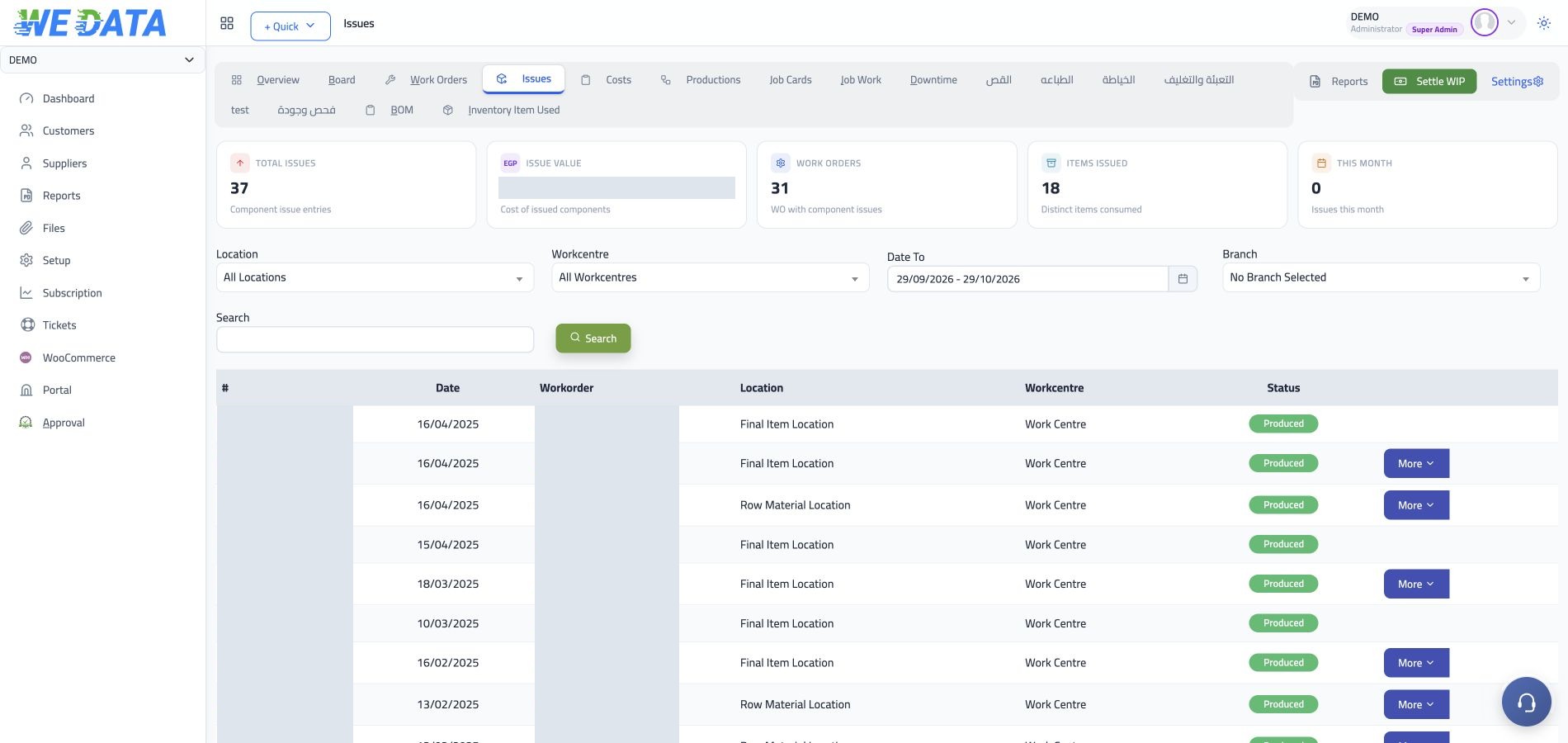
Materials issued to production
Follow the materials recorded for manufacturing work and review the related inventory movement.

Production orders
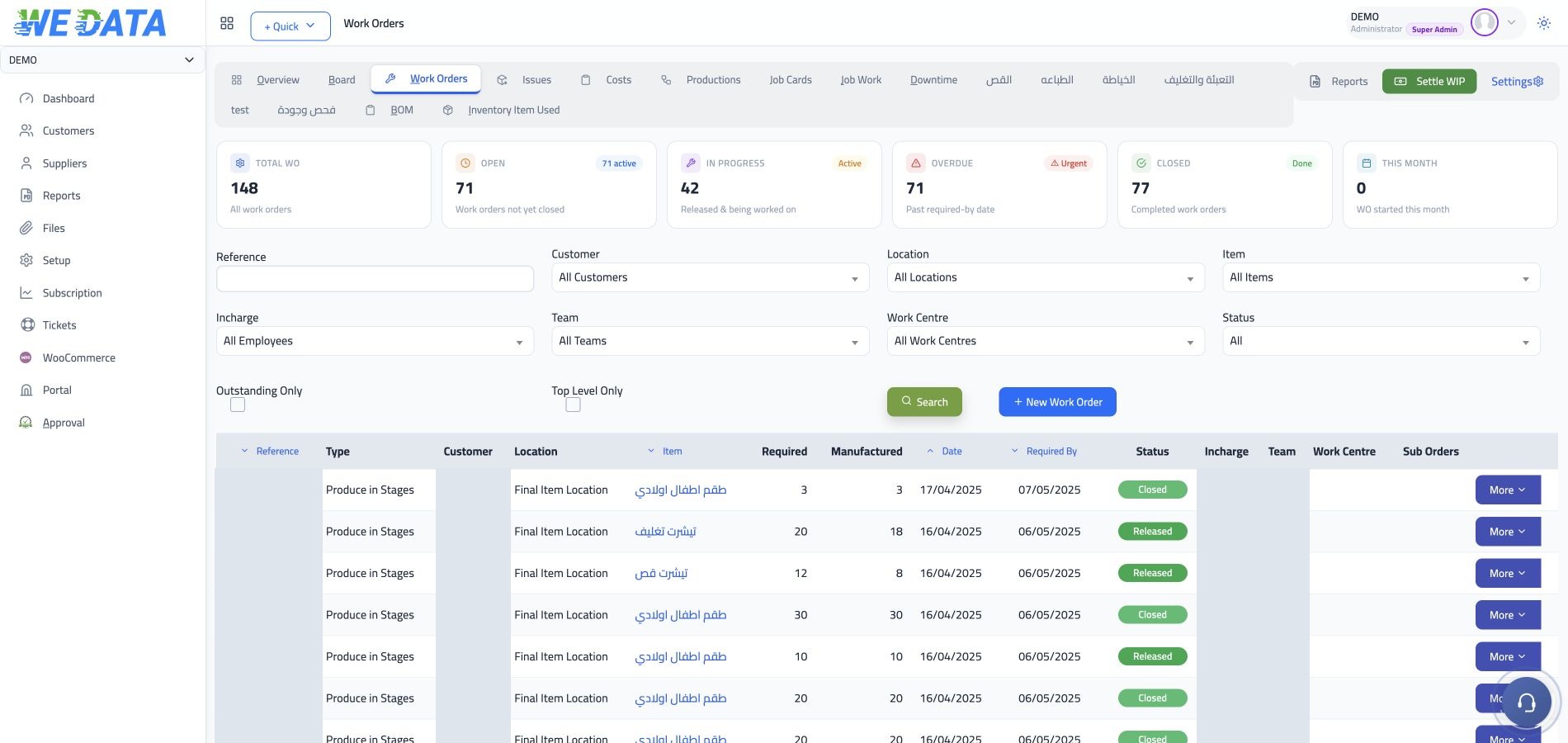
Record production orders and follow the status of each order from planned work through completed output, using the production records shown in WEDATA.

Finished production
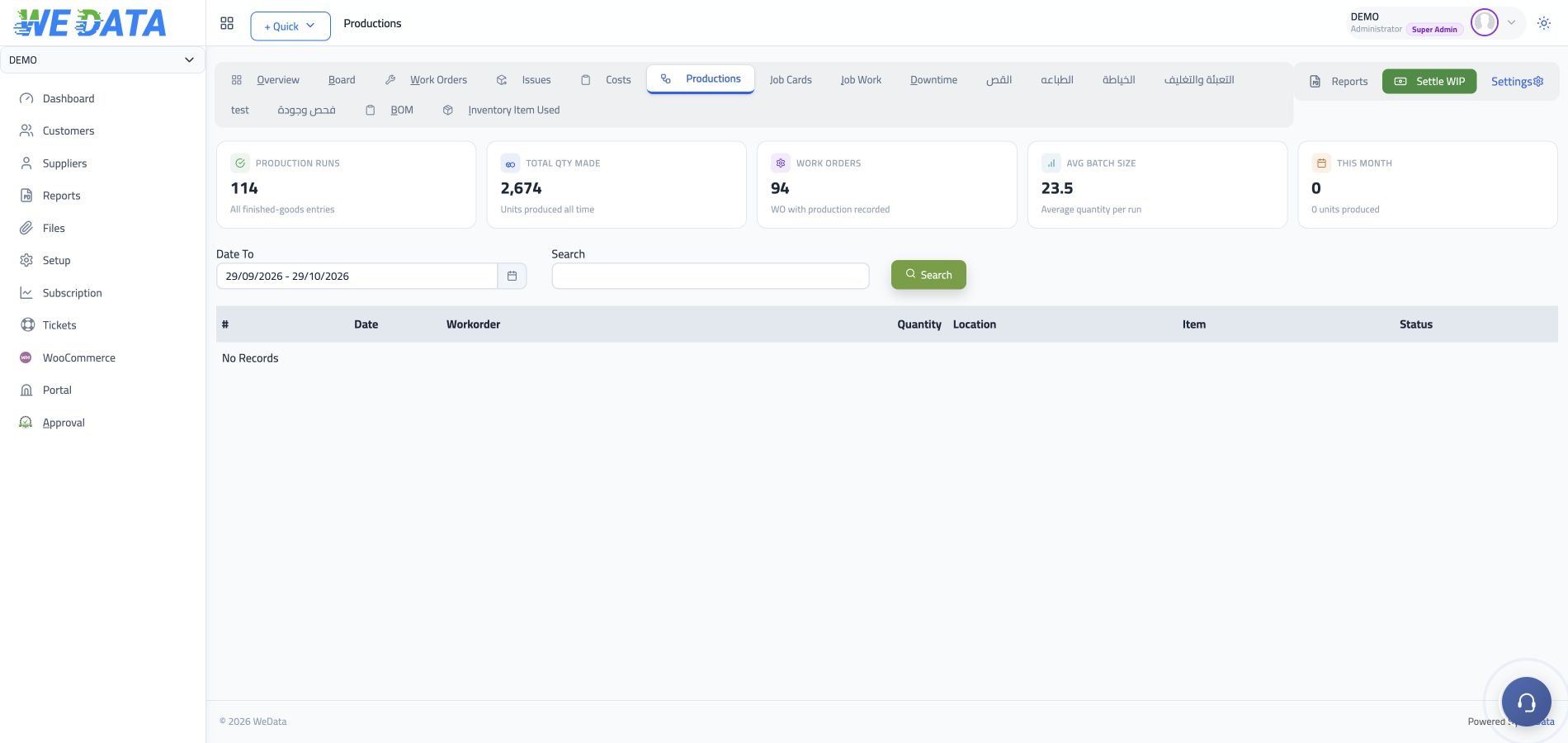
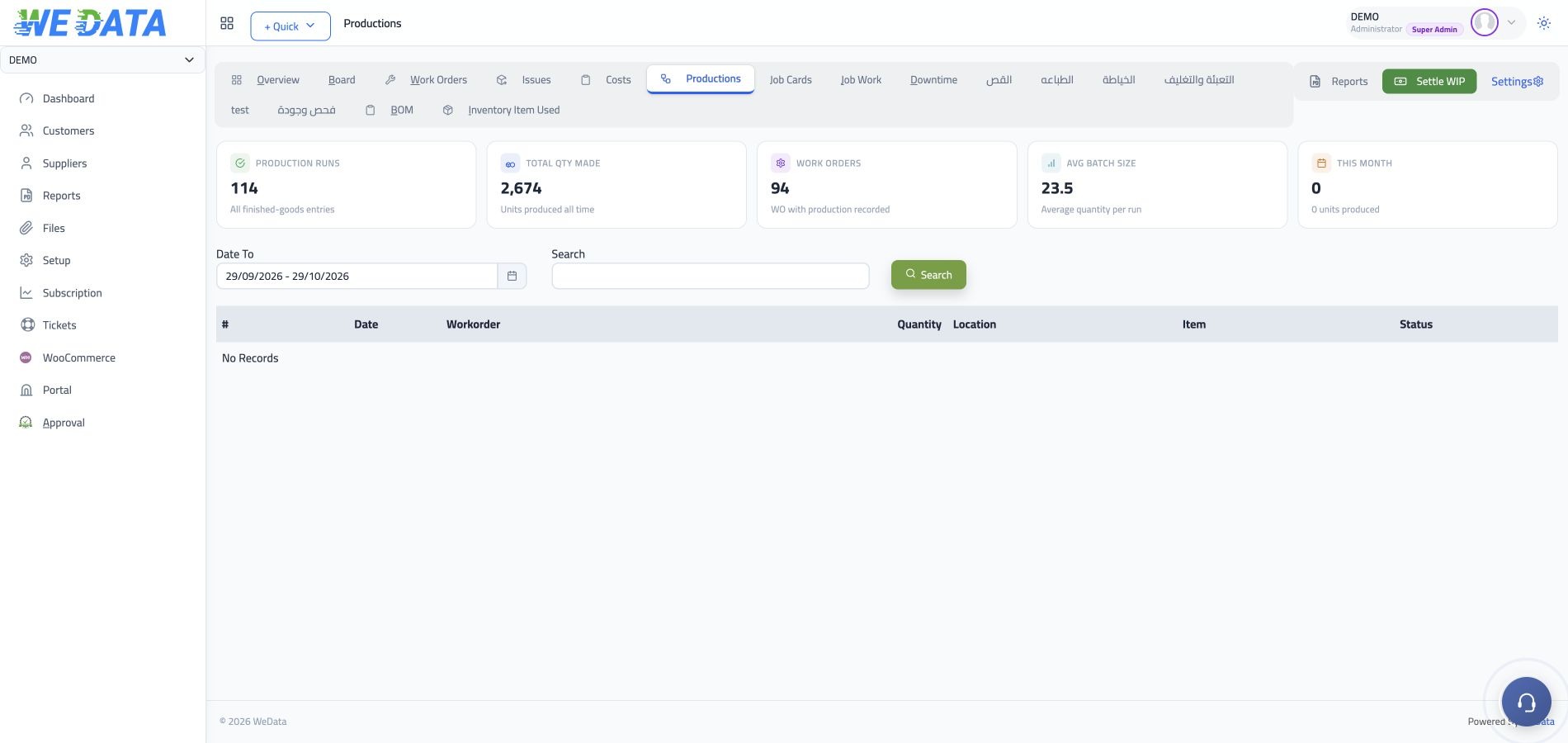
Review completed production output and its recorded quantities. The manufacturing screens show finished output as part of the production and inventory workflow.

Manufacturing
A clear view
of production activity
Production order status
Review the recorded status of manufacturing orders and completed production.
Production workflow
Review production orders, material issues and recorded output in the manufacturing workflow shown here. Confirm which steps are available in your WEDATA configuration.
Production records
Record production work and review the information available in manufacturing screens.
Material issue records
Review materials recorded as issued to production alongside the related inventory movement shown in WEDATA. Available details depend on your configuration.
Material issue tracking
Review recorded materials issued for manufacturing work and their related inventory context.
Finished output
Review the production quantities recorded as completed and their related inventory context. The exact fields depend on the manufacturing workflow configured for your WEDATA edition.

Manufacturing workflow
Production and inventory
in one recorded process
The available screens show production orders, material issues and related inventory records. Review the actual workflow with the WEDATA team to confirm which steps are available in your edition.
-
Production records
-
Inventory records
Activities
Fits these activities
and more
FAQ
Frequently asked questions
about manufacturing
Common questions about production orders, material issues and recorded output.
-
Can I track production orders and their status?
The manufacturing screens on this page show production orders and recorded statuses. Available steps depend on your WEDATA configuration.
-
Can I review materials issued to production?
The screens show material issues alongside related inventory records. Available fields and workflow steps depend on your WEDATA configuration.
-
Can I see completed production quantities?
The manufacturing examples include recorded production output. Confirm the fields and workflow steps available for your WEDATA edition.
-
Can I follow inventory movements related to production?
Review recorded material issues alongside the related inventory movement shown in the manufacturing screens. Available details depend on your configuration.
-
Which manufacturing features are available in my edition?
Available manufacturing screens and workflow steps depend on your WEDATA configuration. Contact the team to confirm what is included in your edition.
Plan your next production run
Talk with the WEDATA team about the manufacturing workflow shown on this page.