

UAE tax records with WEDATA
Review your tax setup before use
Use WEDATA to organize sales and purchase records and review the tax settings available in your account. Tax obligations vary by business and activity. This page does not confirm Federal Tax Authority approval or a direct connection. Confirm available functions before relying on any electronic filing process.

UAE tax overview
Features
Organize tax records
and review your UAE setup
Confirm the available functions in your WEDATA edition and review UAE tax obligations with a qualified adviser.
Tax records and settings
Keep sales and purchase records organized, and review the tax settings available in your WEDATA account. Confirm applicable tax treatment and filing requirements with a qualified UAE adviser.

UAE tax requirements
Confirm the tax categories, rates and filing duties that apply to your company with a qualified UAE adviser. The settings and reporting available in WEDATA depend on your product and account configuration.

Filing periods and due dates
Filing frequency and due dates depend on your company’s UAE tax obligations. Confirm current requirements with a qualified UAE adviser and the Federal Tax Authority; this page does not confirm electronic filing or submission.

Tax payments and refunds
Record and reconcile tax-related payments or refunds according to the accounting functions available in your WEDATA account. Confirm the applicable amounts and process with a qualified UAE adviser.


Tax information
Review available reporting
before relying on your setup
Available reports, integrations and controls depend on the WEDATA product, edition and account configuration. Confirm current UAE tax rules with a qualified adviser.
Tax invoices
Organize invoice records and confirm which tax fields and formats are available in your account. Check applicable invoice requirements with a qualified UAE tax adviser.
Tax reports
Review the reports available for your product and account. Report contents and formats may vary by edition and configuration.
UAE tax setup
Tax categories and rates depend on your business and applicable UAE rules. Confirm the correct setup with a qualified tax adviser before use.
Tax periods and records
Tax periods and record controls depend on your account and applicable regulations. Confirm record-retention and amendment requirements with a qualified UAE adviser.
Invoice tax details
The tax details available on invoice lines depend on your WEDATA product and account configuration. Verify calculations and applicable rates before relying on them.
Tax review and compliance
Use this page as a starting point for reviewing your tax setup. Confirm legal obligations, deadlines and any penalties with a qualified UAE tax adviser or the Federal Tax Authority.
Account options
Review available features
and connected services
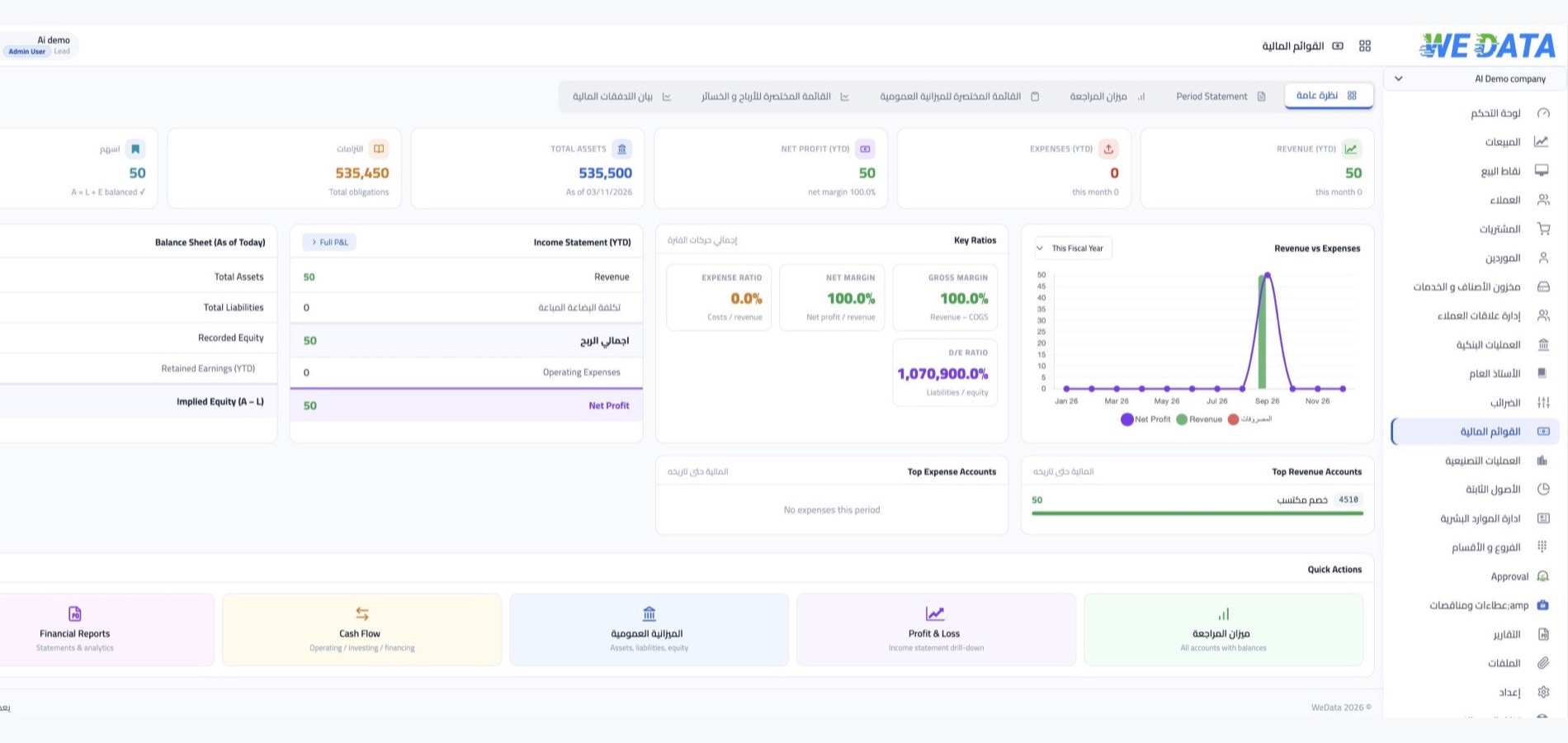
Available connections and accounting workflows depend on your WEDATA product, edition and account configuration. Confirm specific integrations with our team before relying on them for tax records or payments.
-
Available accounting options
-
Connected services
FAQ
Frequently asked questions
About UAE taxes and filings
Answers about tax settings, filing duties and what to confirm before use.
-
Which tax settings are available for my business?
Available tax categories and settings depend on your WEDATA product and account configuration. Confirm the applicable UAE rules and rates with a qualified tax adviser before use.
-
How do I confirm my filing periods and due dates?
Filing periods and deadlines depend on your business and current UAE tax obligations. Confirm your filing schedule with the Federal Tax Authority or a qualified UAE tax adviser.
-
Can I submit a tax return through WEDATA?
This page does not confirm that WEDATA submits returns directly to the Federal Tax Authority. Confirm the supported filing workflow for your product before relying on it.
-
How are tax amounts determined?
Calculations depend on the transactions, tax settings, product edition and account configuration. Verify applicable tax treatment and rates with a qualified UAE tax adviser before relying on a reported amount.
-
Does WEDATA submit e-invoices directly to the Federal Tax Authority?
This page does not confirm direct e-invoice submission to the Federal Tax Authority. Confirm the supported integration, requirements and activation steps for your product before relying on electronic submission.
Confirm your UAE tax setup
Contact WEDATA to confirm the functions available for your product and account. Verify applicable tax requirements with a qualified UAE tax adviser.